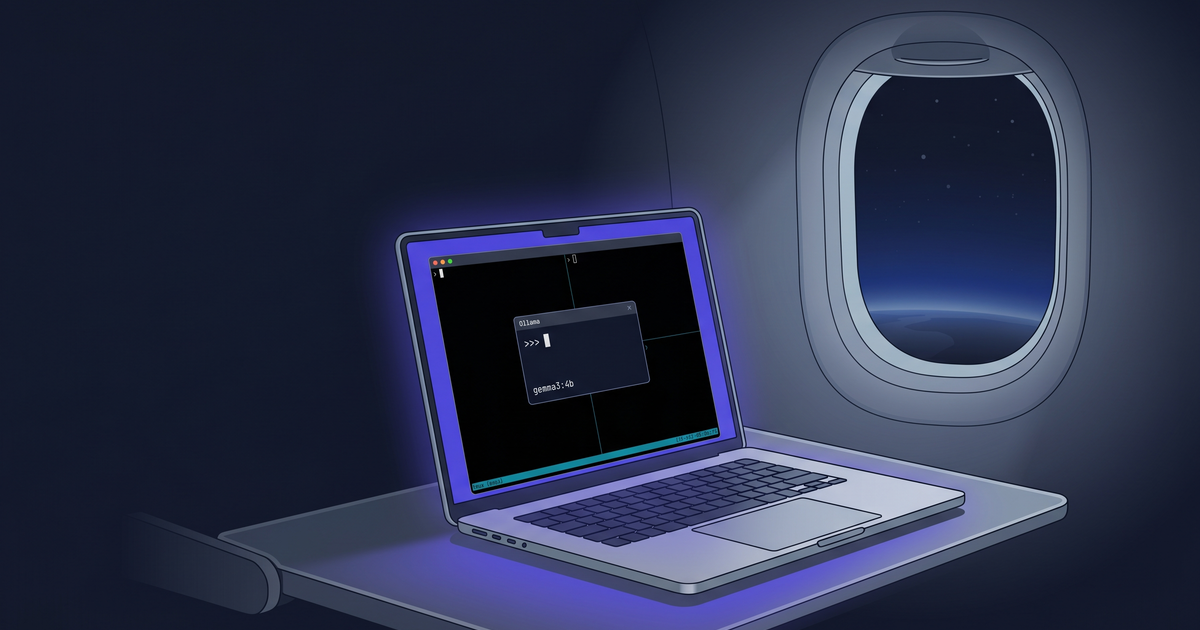
TLDR
I watched a tmux-popup video on my flight and realized the ChatGPT trick it showed needed wifi, which I didn’t have. Ollama doesn’t. So I rebuilt the pop-up and added a local-model picker to
prefix + a.Asked nine local models the same question. One model gave a confident but wrong answer, two didn’t finish, and the fastest one got it right in three seconds.
/byeauto-copies the conversation to your clipboard.
The plane
The morning before my flight, I set up YouTube videos to download automatically. Tmux setups, terminal tricks—the kind of things you watch when the captain says, "we’ll be cruising at 35,000 feet for the next four hours and the wifi is broken again." Eric McKevitt’s Tmux Popups - The Most Underrated Feature in Tmux was in there. Eight minutes. Worth it.
Somewhere mid-flight, Eric demoed a pop-up he’d built that pipes a question through a gpt4 CLI to ChatGPT.
He hit a binding, asked something about a regex, got the answer back in a pop-up, and hit c to copy it to the clipboard.
It was beautiful.
I sat there with no internet and watched him do it. Then I looked at my dock and saw Ollama running with eleven models pulled, right there on the laptop.
That’s when I knew I had to build it and write about it.
I’d already been adding pop-ups all week
Tmux’s display-popup is the tmux primitive most people don’t know exists.
It opens a floating terminal scoped to the current pane’s working directory, runs whatever command you give it, and dies when the command exits.
You don’t design a UI.
You pick a key.
I had been adding pop-ups non-stop.
prefix + g opens lazygit.
prefix + Enter opens a throwaway shell.
prefix + y opens a per-directory Claude Code session.
The cheat sheet itself lives behind prefix + ?, rendered through glow.
This approach was simple, but it made a big difference in my workflow.
Adding a pop-up for AI chat was the next logical step. The only question left was which AI to use.
display-menu is the move
Eric mentioned display-menu at the very end of his video, noting that he was just starting to play with it.
He was right to mention it. It’s the tmux feature that lets one keybind open up a menu of options.
Here’s what prefix + a does in my config:
bind a display-menu -T "#[align=centre] AI chat — pick a model " -x C -y C \
  "gemma3:4b (default, fastest)"  e "run-shell '~/projects/dotfiles/ai-popup.sh gemma3:4b'"     \
  "mistral:7b (fast, terse)"      m "run-shell '~/projects/dotfiles/ai-popup.sh mistral:7b'"    \
  "qwen2.5:7b"                    q "run-shell '~/projects/dotfiles/ai-popup.sh qwen2.5:7b'"    \
  "qwen2.5-coder:7b (fast code)"  k "run-shell '~/projects/dotfiles/ai-popup.sh qwen2.5-coder:7b'" \
  "llama3.2 (2GB)"                l "run-shell '~/projects/dotfiles/ai-popup.sh llama3.2'"      \
  "" \
  "phi4:14b (smart, balanced)"    p "run-shell '~/projects/dotfiles/ai-popup.sh phi4:14b'"      \
  "qwen3-coder:30b (heavy code)"  c "run-shell '~/projects/dotfiles/ai-popup.sh qwen3-coder:30b'"  \
  "gpt-oss:20b (reasoning, slow)" g "run-shell '~/projects/dotfiles/ai-popup.sh gpt-oss:20b'"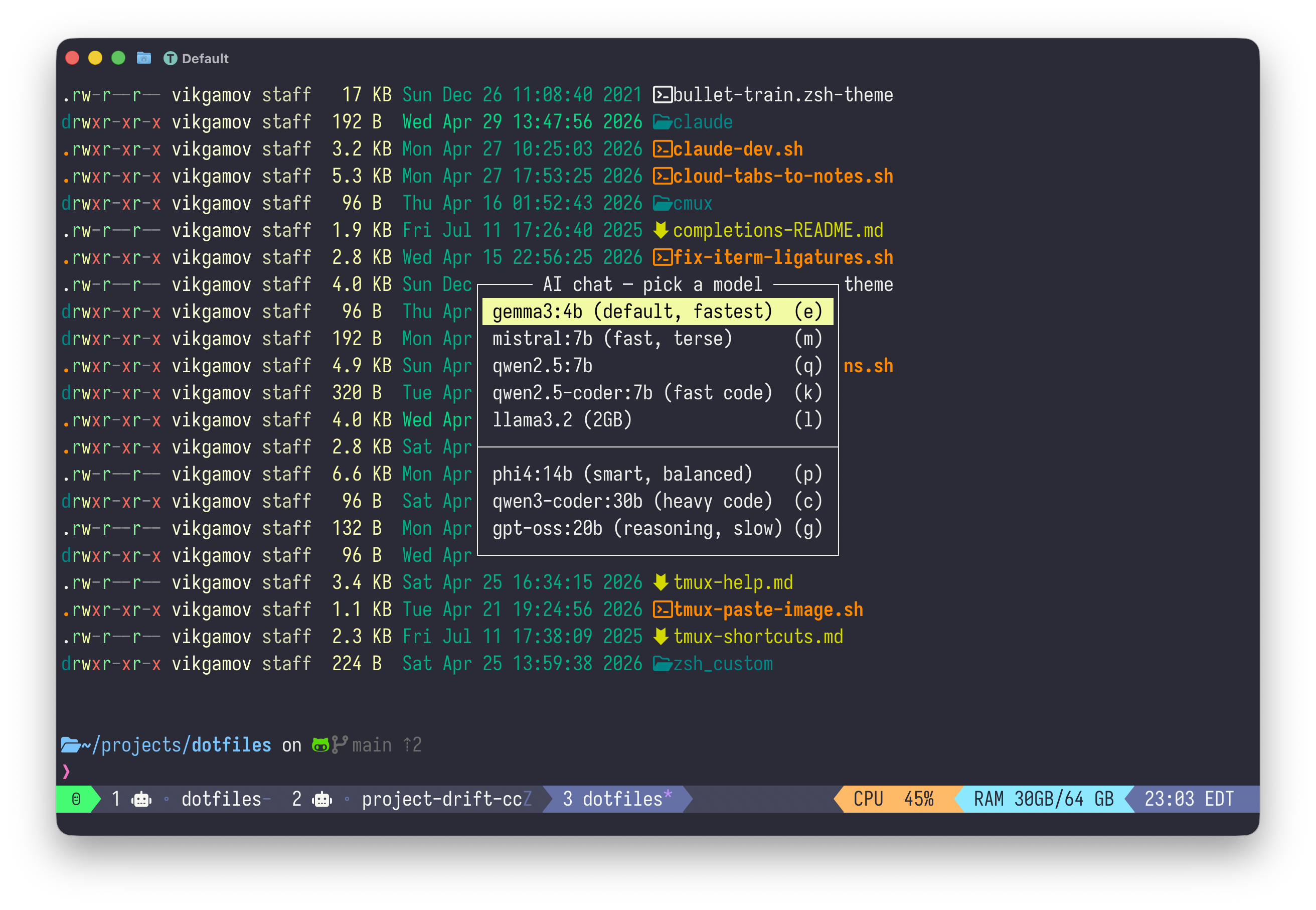
prefix + a menu shows every model I’ve pulled, with one-letter shortcutsPress the key and you get an instant menu of every model I’ve downloaded.
Hit the highlighted letter, and you open a pop-up running ollama run <model>.
The wrapper that opens or reattaches the right session lives in ai-popup.sh:
#!/usr/bin/env bash
MODEL="${1:-gemma3:4b}"

# tmux session names can't contain `:`, `/`, or `.` Mangle them.
SESSION="ollama-$(echo "$MODEL" | tr ':/.' '___')"

# Daemon health check — fail loudly so the pop-up doesn't open onto a dead `ollama run`.
if ! curl -fsS --max-time 2 http://localhost:11434/api/version >/dev/null 2>&1; then
  tmux display-message -d 4000 "ollama daemon unreachable — open Ollama.app or run: ollama serve"
  exit 1
fi

# Spawn detached if first invocation for this model
if ! tmux has-session -t "$SESSION" 2>/dev/null; then
  tmux new-session -d -s "$SESSION" -c "$HOME" "ollama run $MODEL"
fi

# Attach the persistent session inside a pop-up
tmux display-popup -w 90% -h 90% -E "tmux attach-session -t $SESSION"
tmux new-session -d -s "$SESSION"spawns a detached session per model. Gemma3:4b’s conversation lives separately from qwen3-coder:30b’s. You can switch models without losing your chat history.The session name comes from the model name with
:,/, and.replaced. Tmux disallows those characters, and the error you get is "can’t find pane: 7b" (because tmux parsesqwen2.5:7bas a target with two pieces). I found this out the hard way.The pop-up attaches to the persistent session. When you
/byeor hit Ctrl-D, ollama exits, the session dies, and the pop-up closes.
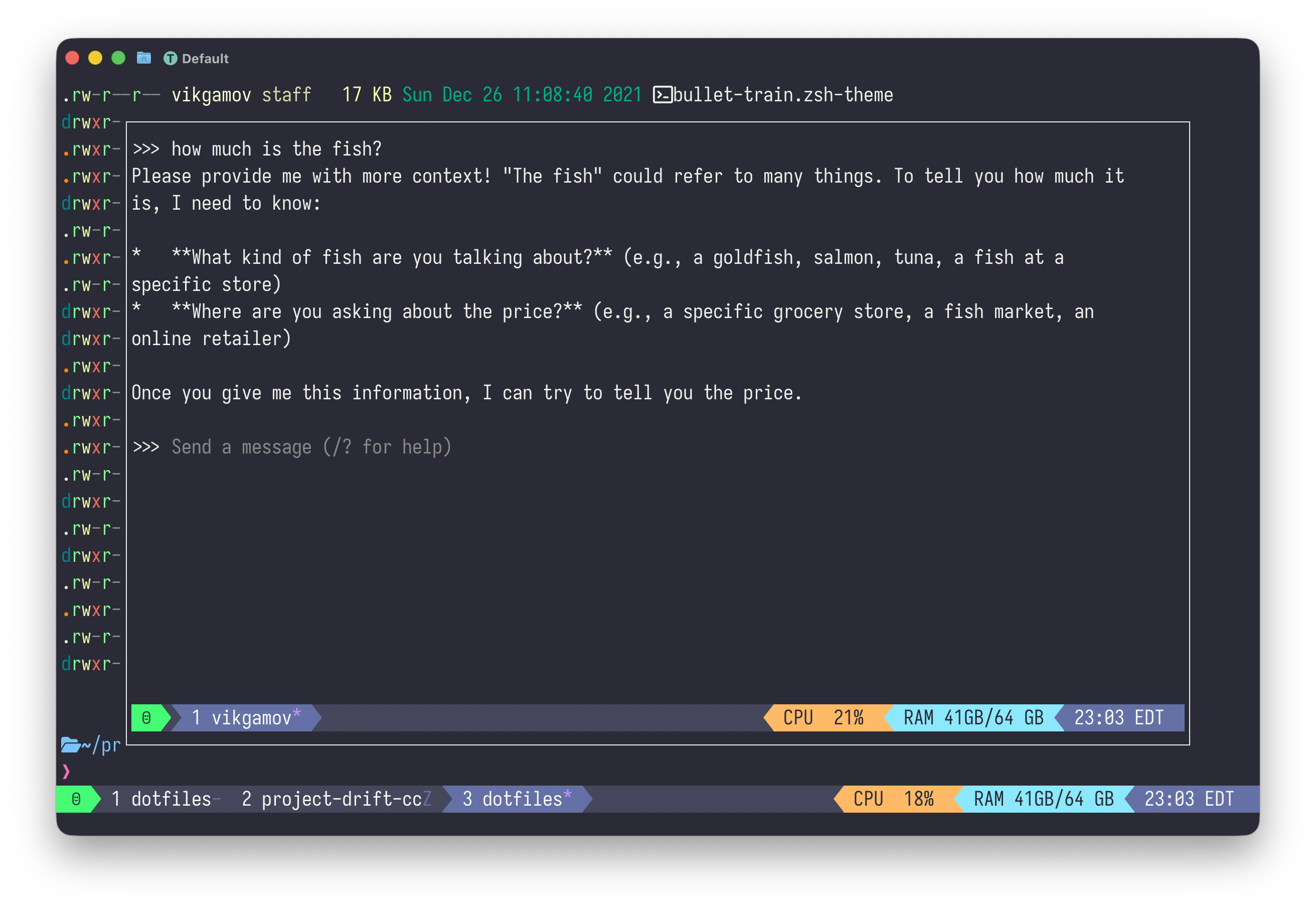
ollama run <model> scoped to that conversationStop trusting models you haven’t measured
I asked nine local models the same question:
One-line bash command to find the 5 largest files recursively in the current directory. Output ONLY the command — no explanation, no markdown fences, no preamble.
The requirements were simple: just the command, make it recursive, and no markdown fences.
The benchmark script (ollama-bench.sh in the repo) hits each model cold over the Ollama API, caps output at 80 tokens, prints LOAD / TTFT / TOK/S / TOTAL / RESPONSE.
Here’s what came back, all on M1 with the daemon running locally:
MODEL                LOAD     TTFT    TOK/S    TOTAL   RESPONSE
gemma3:4b           2.21s    2.42s     71.6    2.83s   find . -type f -print0 | xargs -0 du -b | sort -nr | head -5
mistral:7b          2.75s    3.09s     64.3    3.36s   du -sh * | sort -hr | head -n 5
llama3.2            2.93s    3.02s    101.4    3.30s   find . -type f -exec stat -c '%s' {} \; | sort -rn | head -5
qwen2.5:7b          2.63s    2.86s     51.3    3.60s   find . -type f -exec du -b {} + | sort -nr | head -n 5 | awk '{print $1 "\t" $2}'
qwen2.5-coder:7b    3.18s    3.43s     51.9    4.05s   find . -type f -exec ls -lh {} + | sort -rhk 5 | head -n 5
phi4:14b            2.39s    2.84s     24.6    3.99s   find . -type f -exec du -h {} + | sort -hr | head -n 5  (in fences)
starcoder2:15b      4.77s    5.22s     33.5    5.82s   du -a | sort -n | tail -5  (in fences)
gpt-oss:20b         5.84s    6.73s     51.2    8.40s   (truncated — reasoning model burned 80 tokens "thinking")
qwen3-coder:30b    10.42s   10.64s     67.6   11.10s   find . -type f -exec du -h {} + | sort -hr | head -5 | awk '{print $1}'
The table revealed a few surprises about specific models.
mistral:7b is fast and popular.
It also handed me a non-recursive answer.
du -sh * looks at top-level entries in the current directory and ignores everything below.
The instructions were clear, but the model didn’t follow them.
Two heavyweights gave me empty responses for related reasons.
qwen3.5:27b (which is why it’s missing from the table) and gpt-oss:20b are reasoning models.
They spend their token budget inside <think> blocks before producing a final answer.
With an 80-token cap, qwen3.5 said nothing.
I bumped the cap to 200 and got the same nothing.
Reasoning models have their place.
Popup chat isn’t the right place for them.
Then there’s the case of starcoder2:15b. I’d asked for no markdown fences. It wrapped the answer in fences anyway. That’s not really a bug: starcoder is a code-completion model designed to predict the next token in a half-written file, and "follow this instruction" isn’t part of its training. It’s a different kind of model. So I took it off the menu.
gemma3:4b was the clear winner for both speed and correctness.
Three seconds end-to-end, handles filenames with spaces via -print0 and xargs -0, and is small enough to stay warm in unified memory between pop-up invocations.
phi4:14b was the surprise: 2.39 seconds to load, 4 seconds total, even though it’s 14B parameters, and it gave the cleanest command.
I uninstalled the two models that didn’t give me anything useful.
qwen3.5:27b at 17GB and codellama:34b at 19GB.
That gave me 36GB back on my SSD.
The clipboard trick
I wanted the conversation copied to the macOS clipboard when the pop-up closed.
My first idea was to run ollama run, then after display-popup -E finished, capture the pane and send it to pbcopy.
The problem is that when ollama exits, the process ends, the window closes, the session ends, the pop-up closes, and only then does my script regain control. By the time the parent script tries to capture the pane, the session is already gone. The pane is gone. There’s nothing left to read.
The fix is to put the capture INSIDE the session command, before tear-down:
CMD="ollama run $MODEL"
if [[ "${AI_POPUP_CLIPBOARD:-1}" == "1" ]] && command -v pbcopy >/dev/null 2>&1; then
  CMD="$CMD; tmux capture-pane -p -S -5000 | pbcopy && tmux display-message -d 2000 'chat copied to clipboard'"
fi

if ! tmux has-session -t "$SESSION" 2>/dev/null; then
  tmux new-session -d -s "$SESSION" -c "$HOME" "$CMD"
fi
Now the session command is ollama run $MODEL; tmux capture-pane | pbcopy && ….
When ollama exits, the next command runs IN THE SAME PANE, with the conversation still on screen.
capture-pane reads it, pipes to pbcopy, the chain ends, the session dies, the pop-up closes.
Now the clipboard has the chat.
The status bar flashes "chat copied to clipboard."

There are two requirements: you need macOS for pbcopy (Linux users can use xclip or wl-copy), and your tmux scrollback should be set deep enough to hold 5000 lines.
My config uses set -g history-limit 50000, which is more than enough.
If you ever have a thread you don’t want copied, just set AI_POPUP_CLIPBOARD=0 to turn off auto-copy. |
Local is a fallback
I’m a fan of Claude and Grok, too. Both of them beat anything I’m running on this laptop for hard reasoning, agentic tool use, or anything where I want the latest training data. I use them every day on the ground. None of this post is an argument to switch.
What I wanted was a backup for those times when the cloud isn’t available.
When the wifi is down, when I have data I don’t want leaving my laptop, or when I just need to check something simple like "what’s the awk syntax to extract the third field," using gemma3:4b in a pop-up takes three seconds and costs nothing.
Claude and Grok still get the daily-driver slot. As always, I’m hoping the wifi holds. If the wifi goes out, gemma3:4b is already on board.
Try it yourself
Pull the dotfiles: github.com/gAmUssA/dotfiles.
Lift four files: the bind a display-menu block in .tmux.conf, ai-popup.sh, ollama-bench.sh, and the cheat-sheet entry in tmux-help.md.
Run the bench against your own model collection.
The test prompt and table format are meant to be re-run, not just looked at.
Let me know which model is your fastest and most accurate.
I’m curious if gemma3:4b will be the default for everyone, or if my prompt influenced the results.
In Episode 2, I’ll cover Claude Code in pop-ups (per-project, persistent) and cdev, a script that creates a project-specific tmux session with Claude, a shell, and a tests window.
It’s a different tool, but uses the same pop-up setup.